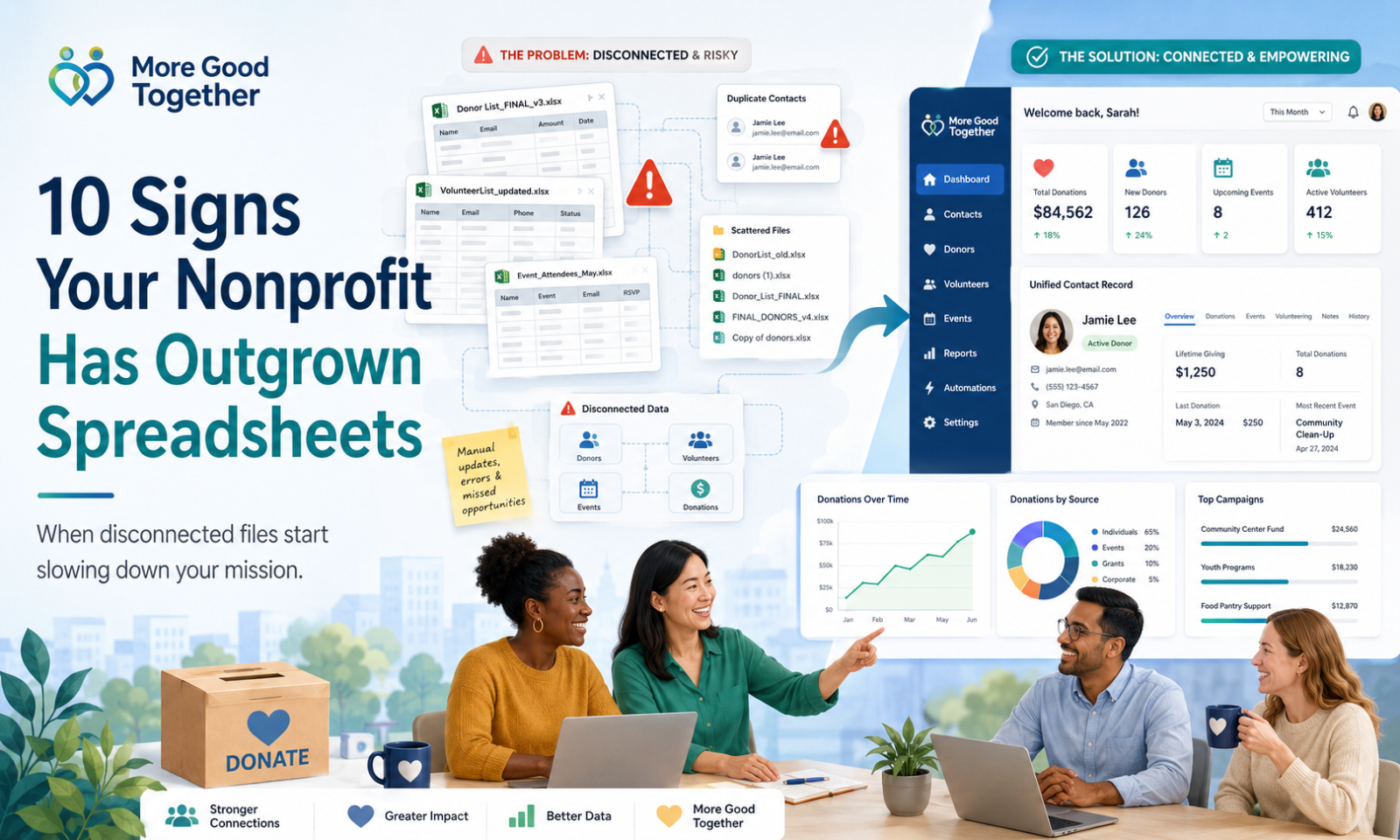
10 Signs Your Nonprofit Has Outgrown Spreadsheets
Spreadsheets are usually where nonprofit data begins.
They are affordable, familiar, and easy to set up. A small organization can create a donor list, track event registrations, record volunteer hours, or manage program participants without purchasing new software.
For a while, that approach may work perfectly well.
The problem is that spreadsheets rarely fail all at once. Instead, small issues begin to appear.
One staff member has the latest donor list. Another has a separate event spreadsheet. Volunteer information lives in a shared drive. Donation records come from a payment platform. Important notes remain buried in email inboxes.
The organization is still operating, but managing information takes more effort every month.
That is often the point when a nonprofit should consider moving from spreadsheets to a nonprofit CRM.
Here are 10 common signs that your organization may have outgrown its current system.
1. You Have Multiple Versions of the Same Spreadsheet
It often starts with a file named something simple, such as:
donor-list.xlsx
Then someone makes a copy.
Soon, your shared folder contains files such as:
- Donor List Final
- Donor List Updated
- Donor List New
- Donor List Final Version 2
- Donor List Use This One
- Donor List Updated July
The names may be slightly funny, but the problem is serious.
When several versions of the same spreadsheet exist, staff members may not know which file contains the most current information. Someone may update an old version without realizing it. Another person may create a report using incomplete data.
A nonprofit CRM provides one shared record that authorized users can access and update.
Instead of asking, “Which spreadsheet should I use?” your team works from the same source of information.
2. Duplicate Records Are Becoming Common
Duplicate records are one of the earliest signs that spreadsheet-based contact management is becoming difficult.
A donor may appear more than once because:
- One record uses a personal email address
- Another uses a work email address
- A name was spelled differently
- A spouse made a separate donation
- An event registration created another entry
- Someone imported a new contact list
For example, the same person may appear as:
- Jennifer Martinez
- Jen Martinez
- Martinez
- Jennifer A. Martinez
Without duplicate detection, your team may treat these as four different people.
This can lead to inaccurate donation totals, repeated emails, duplicate receipts, and awkward communication.
Imagine thanking someone for becoming a first-time donor when they have supported your organization for five years.
A nonprofit CRM can help identify possible duplicates and bring information together into one complete contact profile.
3. Important Information Is Stored in Different Places
Your donor list may be in one spreadsheet.
Volunteer information may be in another.
Event registration data may live in an online ticketing platform. Program participation may be tracked in a separate file. Communication history may exist only in email inboxes.
Each system contains part of the story, but no single place shows the full relationship.
A supporter may be:
- A monthly donor
- A volunteer
- A program alumni
- An event attendee
- A board member
- A newsletter subscriber
When those activities are stored separately, staff members may not realize how deeply that person is connected to the organization.
A nonprofit CRM brings these interactions together.
When viewing a contact profile, your team can understand the person’s full history instead of seeing only one part of the relationship.
4. Preparing Reports Takes Too Long
Reports are often manageable when an organization has a small amount of data.
As the nonprofit grows, reporting becomes more complicated.
Staff members may need to:
- Export donation transactions
- Remove duplicate records
- Match donors across multiple files
- Calculate totals manually
- Create charts
- Review event attendance
- Combine volunteer data
- Verify program numbers
- Correct formatting problems
A report that should take an hour may require several days of preparation.
This becomes especially challenging when leadership, board members, funders, or auditors need information quickly.
A nonprofit CRM can generate reports using connected data.
Instead of rebuilding the same report each month, staff members can save reporting criteria and update the results as new information is added.
5. Staff Members Depend on One Person to Find Information
Many nonprofits have one person who understands how everything is organized.
That person knows:
- Which spreadsheet is current
- Where event files are stored
- How donor categories are labeled
- Which columns should not be changed
- How reports are calculated
- Which records contain errors
- Where important notes are kept
This person becomes the organization’s unofficial database.
Their knowledge is valuable, but relying on one individual creates risk.
What happens when that person is on vacation, changes roles, or leaves the organization?
A nonprofit should not lose access to important history because the information was stored in one person’s files, inbox, or memory.
A shared CRM creates greater continuity. Staff members can work from documented records, standardized fields, and shared workflows.
6. Follow-Ups Are Being Missed
Nonprofit relationships depend on timely follow-up.
Your team may need to:
- Thank a donor
- Contact a prospective sponsor
- Send a tax receipt
- Remind someone about an event
- Check in with a volunteer
- Follow up after a program application
- Contact a lapsed donor
- Send a board member an assigned task
- Call a participant after a service appointment
Spreadsheets can store due dates, but they are not always effective at reminding people what needs to happen next.
Staff members may create separate calendar reminders, keep handwritten notes, or rely on memory.
As activity increases, important tasks can be forgotten.
A nonprofit CRM can connect tasks and reminders to the relevant contact, donation, program, event, or campaign.
This gives staff members a clearer view of what needs attention and who is responsible.
7. Your Team Is Spending Too Much Time Entering the Same Data
Manual data entry is one of the biggest hidden costs of spreadsheet-based systems.
For example, when someone makes a donation, a staff member may need to:
- Export the transaction from the payment processor.
- Add the person to the donor spreadsheet.
- Update the campaign total.
- Create or send a receipt.
- Add the person to an email list.
- Notify another team member.
- Update a monthly report.
The same information is copied from one system to another.
This takes time and increases the chance of mistakes.
A connected nonprofit CRM can automate many of these steps.
A donation can update the contact profile, campaign total, transaction history, receipt status, and reporting data without requiring staff members to re-enter everything manually.
8. Communication Is Becoming Less Personal
A spreadsheet may contain names and email addresses, but it may not provide enough context for meaningful communication.
Without a complete engagement history, your organization may send:
- Volunteer recruitment emails to active monthly donors
- First-time donor messages to long-term supporters
- Event reminders to people who already canceled
- General fundraising appeals to major sponsors
- Program updates to people with no connection to that program
These messages are not necessarily harmful, but they can feel impersonal.
Supporters are more likely to stay engaged when communication reflects their relationship with the organization.
A CRM can help your team segment people based on:
- Donation history
- Interests
- Programs
- Event attendance
- Volunteer participation
- Location
- Communication preferences
- Engagement level
This allows your organization to send more relevant messages without manually sorting every contact list.
9. Data Quality Is Getting Harder to Maintain
Spreadsheets give users a great deal of freedom.
That flexibility is useful, but it can also lead to inconsistent information.
For example, one staff member may enter a state as:
New York
Another may enter:
NY
A third may enter:
N.Y.
The same problem can happen with phone numbers, dates, campaign names, contact types, and volunteer statuses.
Inconsistent data makes sorting, filtering, reporting, and automation more difficult.
Other common data-quality issues include:
- Missing email addresses
- Incomplete mailing addresses
- Invalid dates
- Inconsistent categories
- Accidental row deletion
- Broken formulas
- Hidden columns
- Unclear notes
- Unprotected sensitive information
A nonprofit CRM can improve consistency through required fields, standardized options, validation rules, permissions, and activity tracking.
It does not eliminate every data problem, but it creates better structure.
10. Your Organization Is Growing, but Your System Is Not
Growth is usually a positive sign.
Your nonprofit may be receiving more donations, launching new programs, hosting more events, recruiting additional volunteers, or expanding into new communities.
But the system that worked for 200 contacts may not work for 5,000.
As activity increases, your team may begin to experience:
- Slower reporting
- More duplicate records
- More manual work
- More staff confusion
- More disconnected tools
- More missed follow-ups
- Greater privacy concerns
- Difficulty training new employees
At this point, the issue is not that spreadsheets are bad.
The issue is that your organization now needs a system designed to manage relationships, activities, communication, and reporting at a larger scale.
Why Spreadsheets Become Difficult as Nonprofits Grow
A spreadsheet is a flexible table.
A nonprofit CRM is a relationship management system.
That difference matters.
Spreadsheets can tell you that a person donated $100. A CRM can show that the person:
- First learned about your organization through an event
- Volunteered twice
- Donated to a specific campaign
- Opened your last three newsletters
- Registered for an upcoming program
- Prefers email communication
- Has a follow-up task assigned to a staff member
That context helps staff members make better decisions.
It also allows the organization to understand engagement across departments instead of treating donations, events, programs, and volunteers as separate activities.
Should You Stop Using Spreadsheets Completely?
Not necessarily.
Spreadsheets still have a place in nonprofit work.
They can be useful for:
- Quick calculations
- Temporary planning
- Budget preparation
- One-time lists
- Data analysis
- Import preparation
- Simple project tracking
- Ad hoc reports
The goal is not to eliminate spreadsheets.
The goal is to avoid using them as the main system for managing long-term relationships and organizational history.
A spreadsheet can support a nonprofit CRM, but it should not have to replace one.
What Should You Look for in a Nonprofit CRM?
Before choosing a platform, identify the problems your organization wants to solve.
A nonprofit with a strong fundraising focus may prioritize donor management, recurring giving, campaign pages, and tax receipts.
A community service organization may need program enrollment, case notes, participant records, referrals, and outcome reporting.
An organization with a large volunteer community may need applications, scheduling, hour tracking, and opportunity management.
Common nonprofit CRM capabilities include:
- Contact and organization management
- Donor history
- Online donations
- Fundraising campaigns
- Event registration
- Volunteer management
- Program management
- Case management
- Email and SMS communication
- Tasks and reminders
- Reports and dashboards
- Role-based permissions
- Data import and migration
- Integrations
The best platform is not always the one with the most features.
It is the one that matches your workflows, budget, staff capacity, and plans for growth.
How to Prepare for the Move
Moving from spreadsheets to a CRM does not need to happen all at once.
Start with a practical process.
Review Your Existing Files
Identify every spreadsheet that contains:
- Contacts
- Donations
- Volunteers
- Events
- Programs
- Communication preferences
- Notes
- Tasks
- Organizations
- Historical activity
You may discover that more files exist than expected.
Decide Which Information Matters
Not every column needs to move into the new system.
Some information may be outdated, incomplete, or no longer useful.
Decide which records should be migrated and which fields are still relevant.
Clean the Data
Before importing records:
- Remove obvious duplicates
- Correct spelling errors
- Standardize dates
- Standardize state and country values
- Review incomplete contacts
- Separate combined fields
- Confirm communication preferences
Clean data makes the transition easier.
Assign Responsibility
Determine who will oversee:
- Data cleanup
- CRM setup
- User permissions
- Training
- Reporting
- Ongoing data quality
A CRM works best when ownership is clear.
Start with the Most Important Workflows
Do not try to redesign every process on the first day.
Begin with the areas that create the most value, such as:
- Contact management
- Donation tracking
- Donor acknowledgments
- Event registration
- Volunteer records
- Standard reports
Additional workflows can be introduced as the team becomes comfortable with the system.
How More Good Together Can Help
More Good Together is being designed to help nonprofits manage more of their work in one connected platform.
Instead of maintaining separate spreadsheets for every department, organizations can bring together areas such as:
- Contacts and organizations
- Donor management
- Donations and fundraising campaigns
- Events and registrations
- Volunteer management
- Programs
- Case management
- Board management
- Email and SMS communication
- Tasks and team collaboration
- Reports and dashboards
The goal is not simply to replace a spreadsheet with another database.
It is to give nonprofit teams a clearer view of their relationships, reduce repetitive work, and make important information easier to use.
Final Thoughts
Spreadsheets are often an important part of a nonprofit’s early growth.
They help organizations get started without adding cost or complexity.
But as relationships, programs, donations, volunteers, and reporting requirements increase, the limitations become more noticeable.
You may have outgrown spreadsheets when your team spends more time finding, correcting, combining, and re-entering information than using it.
Moving to a nonprofit CRM is not just a technology decision.
It is an opportunity to create better processes, improve collaboration, and give your team more time to focus on the people and communities you serve.
Frequently Asked Questions
When should a nonprofit move from spreadsheets to a CRM?
A nonprofit should consider moving when it has duplicate records, multiple versions of contact lists, disconnected systems, slow reporting, missed follow-ups, or growing concerns about data quality and security.
Are spreadsheets bad for nonprofits?
No. Spreadsheets are useful for calculations, temporary lists, planning, and data analysis. They become difficult when used as the primary system for managing long-term relationships and activity history.
Can a small nonprofit benefit from a CRM?
Yes. Small nonprofits can use a CRM to organize contact information, track donations, manage follow-ups, improve communication, and create more reliable reports.
How difficult is it to move spreadsheet data into a CRM?
The difficulty depends on the number of files, the condition of the data, duplicate records, and the complexity of the organization’s workflows. Cleaning and standardizing information before migration can make the process much easier.
What data should a nonprofit move into a CRM?
Common data includes contact details, donation history, volunteer activity, event registrations, program participation, communication preferences, notes, organizations, tasks, and relationship history.
Will a CRM completely replace spreadsheets?
Usually not. Most organizations continue to use spreadsheets for temporary planning, calculations, data analysis, and one-time reports. The CRM becomes the central system for relationship and activity data.