What Is a Nonprofit CRM? A Practical Guide for Growing Organizations
Running a nonprofit often means managing a lot of relationships at the same time.
You may be communicating with donors, volunteers, board members, program participants, sponsors, community partners, and event attendees—all while trying to deliver programs and keep your organization moving forward.
In the early stages, many nonprofits manage this information using spreadsheets, email inboxes, paper forms, and separate online tools. That approach may work for a while. But as the organization grows, information becomes harder to find, updates are missed, and staff members may end up working with different versions of the same data.
This is where a nonprofit CRM can help.
What Is a Nonprofit CRM?
A nonprofit CRM is a system that helps an organization manage its relationships with the people and groups connected to its mission.
CRM stands for Customer Relationship Management. In the nonprofit sector, however, the word “customer” does not fully describe the people being managed.
A nonprofit CRM may include:
- Donors
- Volunteers
- Members
- Supporters
- Program participants
- Event attendees
- Board members
- Sponsors
- Partner organizations
- Grant contacts
- Community stakeholders
Instead of keeping information across multiple spreadsheets and applications, a nonprofit CRM brings important records, communication history, activities, and transactions into one place.
It gives staff members a clearer picture of each relationship.
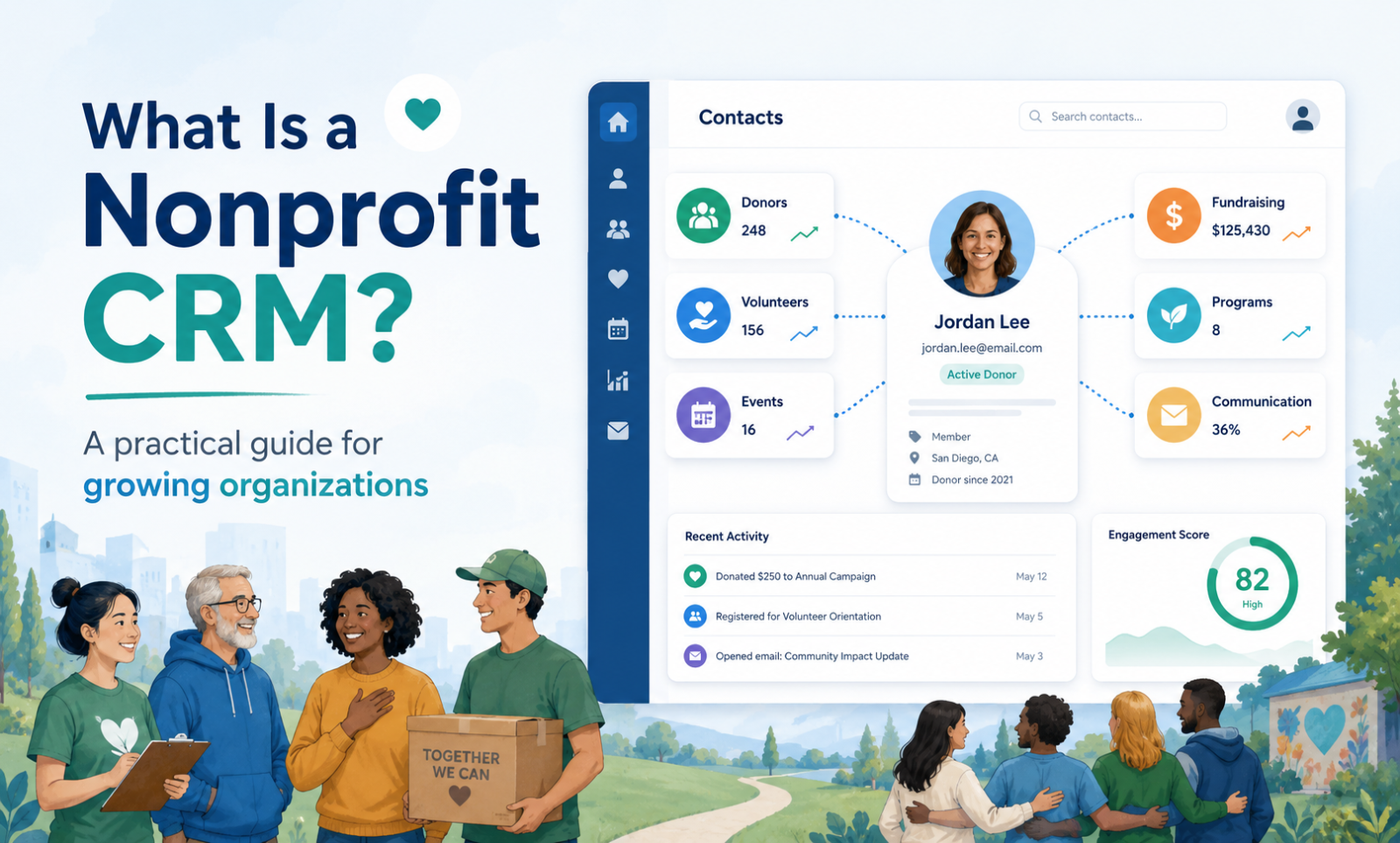
For example, when viewing a donor’s profile, your team may be able to see:
- Contact information
- Donation history
- Recurring gifts
- Event registrations
- Volunteer participation
- Email communication
- Campaign engagement
- Notes from staff members
- Communication preferences
- Tasks and follow-up reminders
This makes it easier to understand how someone has interacted with your organization and what the next step should be.
How Is a Nonprofit CRM Different from a Regular CRM?
Most traditional CRM systems are built for sales teams.
They are designed to track leads, sales opportunities, customer accounts, contracts, and revenue pipelines. While some of these tools can be adapted for nonprofit use, they may require significant configuration.
A nonprofit CRM is designed around mission-driven relationships.
Instead of focusing primarily on sales, it may help an organization track:
- Donations and pledges
- Fundraising campaigns
- Volunteer applications
- Program participation
- Memberships
- Events and ticket purchases
- Grant-related contacts
- Client services
- Board activities
- Donor communication
The goal is not simply to close a sale. The goal is to build stronger, longer-lasting relationships with the people who support or benefit from the organization’s work.
What Does a Nonprofit CRM Do?
The exact features depend on the platform, but most nonprofit CRM systems support several core areas.
Contact Management
Contact management is the foundation of a nonprofit CRM.
Each person or organization has a profile that stores important details such as:
- Name
- Email address
- Phone number
- Mailing address
- Organization or employer
- Tags and categories
- Communication preferences
- Relationship type
- Assigned staff owner
- Notes and activity history
A contact can often be connected to multiple areas of the organization.
For example, one person may be a donor, volunteer, event attendee, and board member. A CRM helps your team see the complete relationship instead of treating each activity as a separate record.
Donor Management
A nonprofit CRM helps organizations keep track of donations and donor engagement.
Staff members may be able to review:
- One-time donations
- Recurring donations
- Donation dates
- Campaign contributions
- Payment methods
- Tax receipts
- Donor acknowledgments
- Giving patterns
- Lapsed donor activity
- Major donor notes
This information can help fundraising teams communicate more thoughtfully.
A first-time donor may need a warm welcome and an introduction to the organization’s impact. A long-term donor may appreciate a more personal update, an invitation to a special event, or a conversation about future support.
Without a clear donor history, these opportunities can easily be missed.
Fundraising Campaign Management
Many nonprofit CRM platforms include tools for creating and managing fundraising campaigns.
These tools may support:
- Online donation pages
- Campaign goals
- Suggested donation amounts
- One-time and recurring gifts
- Campaign progress tracking
- QR codes
- Donor-covered fees
- Automated receipts
- Campaign reports
When donation data connects directly to the CRM, staff members do not have to manually move information from one system to another.
The donor record is updated automatically, which saves time and reduces errors.
Event Management
Events play an important role in fundraising, education, advocacy, and community engagement.
A nonprofit CRM may help manage:
- Event registration
- Free and paid tickets
- Attendee lists
- Check-in
- Event reminders
- Volunteer assignments
- Donations made during registration
- Post-event surveys
- Follow-up communication
Because event activity is connected to the contact record, staff members can see which supporters attend regularly and which events generate the strongest engagement.
Volunteer Management
Volunteers are essential to many nonprofit organizations, but managing them through email and spreadsheets can become difficult.
A nonprofit CRM may help track:
- Volunteer applications
- Skills and interests
- Availability
- Opportunity assignments
- Volunteer hours
- Required documents
- Training completion
- Background-check status
- Communication history
- Volunteer recognition
Having this information in one place helps organizations match people with the right opportunities and maintain stronger volunteer relationships.
Program Management
Nonprofits also need to understand what is happening within their programs.
A connected CRM may allow staff members to track:
- Program participants
- Program enrollment
- Attendance
- Services provided
- Program staff
- Volunteers
- Related donors
- Tasks
- Documents
- Outcomes
- Program reports
This is especially valuable when an organization needs to report progress to funders, board members, leadership teams, or community partners.
Email and Communication Tracking
Good communication depends on knowing what has already been sent.
A nonprofit CRM may support:
- Email campaigns
- Newsletters
- Automated thank-you messages
- Donation acknowledgments
- Event reminders
- Volunteer updates
- SMS communication
- Communication preferences
- Email engagement history
This helps reduce duplicate messages and prevents supporters from receiving communication that is not relevant to them.
It also makes collaboration easier. A staff member can review the communication history before contacting a donor or participant.
Reporting and Analytics
Reports help nonprofit leaders understand what is working and where additional attention is needed.
A nonprofit CRM may provide reports related to:
- Donation totals
- Campaign performance
- Recurring giving
- Donor retention
- Event attendance
- Volunteer hours
- Program participation
- Communication engagement
- Fundraising trends
- Staff activity
Good reporting does more than display numbers. It helps an organization make better decisions.
For example, a report may show that a large number of first-time donors never make a second gift. That insight could lead the organization to create a stronger donor welcome and follow-up process.
Why Do Nonprofits Need a CRM?
A nonprofit does not need to be large to benefit from a CRM.
In many cases, smaller organizations feel the impact of disconnected systems more strongly because staff members are already balancing multiple responsibilities.
Here are some of the most common reasons nonprofits adopt a CRM.
Information Is Easier to Find
When data is spread across spreadsheets, inboxes, notebooks, and separate tools, staff members spend valuable time searching for information.
A CRM creates a central place for contact records, activities, donations, communication, and notes.
Teams Can Work Together More Effectively
Without a shared system, important knowledge may live with one staff member.
If that person is unavailable or leaves the organization, valuable history can be lost.
A CRM gives authorized team members access to shared information and helps create continuity.
Follow-Ups Are Less Likely to Be Missed
Nonprofit relationships depend on timely follow-up.
This may include:
- Thanking a donor
- Calling a sponsor
- Sending an event reminder
- Checking in with a volunteer
- Following up with a program participant
- Preparing a report for a funder
Tasks, reminders, and automated workflows can help staff members stay organized.
Data Becomes More Accurate
Manual data entry often leads to duplicate records, missing fields, inconsistent formatting, and outdated information.
A CRM can reduce these issues by using standardized fields, validation rules, duplicate detection, and connected forms.
Supporters Receive a More Personal Experience
People are more likely to stay engaged when communication feels relevant.
A CRM helps organizations understand what each person cares about, how they have participated, and how they prefer to communicate.
That makes it easier to send the right message to the right person.
Signs Your Nonprofit May Have Outgrown Spreadsheets
Spreadsheets are useful, but they are not designed to manage complex relationships over time.
Your nonprofit may be ready for a CRM if:
- Multiple staff members maintain separate contact lists
- Donor records contain duplicates
- Donation history is difficult to review
- Staff members cannot easily see previous communication
- Event data is stored separately from donor information
- Volunteer hours are tracked manually
- Reports take several days to prepare
- Important follow-ups are missed
- Only one person understands how the data is organized
- Staff members frequently ask where information is stored
Another warning sign is when your team spends more time maintaining the system than using the information.
Technology should support the mission, not create additional administrative work.
What Features Should You Look for in a Nonprofit CRM?
The best CRM is not necessarily the one with the longest feature list.
It is the system that fits your organization’s current needs, staff capacity, and future plans.
When comparing nonprofit CRM platforms, consider the following areas.
Ease of Use
The system should be understandable for everyday users.
A powerful platform will not provide much value if staff members avoid using it because it feels confusing or overly technical.
Contact and Donor Management
Look for a clear, complete contact profile that brings together donations, communication, events, programs, volunteer activity, and notes.
Fundraising Tools
Consider whether the CRM supports donation forms, recurring giving, campaigns, receipts, donor acknowledgments, refunds, and fundraising reports.
Event and Volunteer Management
Organizations that depend on events and volunteers should look for these features within the same platform or through reliable integrations.
Program or Case Management
Some nonprofits need more than donor tracking.
Organizations delivering direct services may also need participant intake, case notes, service plans, referrals, outcomes, and secure document management.
Reporting
Reports should be easy to understand and flexible enough to support leadership, fundraising, program, and board needs.
Data Migration
Ask how existing contacts, donations, notes, and historical records will be moved into the new system.
A good migration process is critical to a successful CRM implementation.
Permissions and Security
Not every user should have access to every record.
Look for role-based permissions, secure login, activity tracking, data backups, and privacy controls.
Integrations
Consider whether the CRM connects with the tools your organization already uses, such as:
- Payment processors
- Website forms
- Email marketing platforms
- Accounting software
- Calendar tools
- SMS providers
- Social media tools
Support and Training
Software alone is not enough.
Your team may need help with setup, data migration, training, workflow design, and ongoing support.
How Much Does a Nonprofit CRM Cost?
Nonprofit CRM pricing varies widely.
Some systems charge based on:
- Number of contacts
- Number of users
- Annual revenue
- Email volume
- Available modules
- Transaction volume
- Storage
- Support level
There may also be additional costs for:
- Setup
- Data migration
- Training
- Payment processing
- Text messaging
- Email credits
- Add-on modules
- Custom integrations
Before choosing a platform, calculate the full cost rather than looking only at the monthly subscription.
A low-cost system may become expensive if the organization must purchase several additional tools to manage donations, events, volunteers, programs, email, and reporting.
How to Prepare for a Nonprofit CRM
A successful CRM implementation begins before the software is selected.
Start by reviewing how your organization currently works.
Ask questions such as:
- Where is contact information stored?
- How are donations tracked?
- How are volunteers managed?
- Which reports are created regularly?
- What information is difficult to find?
- Which tasks are performed manually?
- Where do duplicate records come from?
- Which systems need to connect?
- Who will be responsible for data quality?
- Which staff members need access?
It is also helpful to clean your data before migration.
Remove outdated records, identify duplicates, standardize fields, and decide which historical information needs to be moved.
Do not try to automate every process immediately. Begin with the workflows that create the most value, then expand over time.
How More Good Together Supports Nonprofit Organizations
More Good Together is being designed as a connected nonprofit management platform.
The goal is to help organizations manage their relationships, fundraising, programs, volunteers, events, communication, and reporting without relying on several disconnected systems.
Organizations can use More Good Together to bring together areas such as:
- Contact and organization management
- Donor management
- Online donations
- Fundraising campaigns
- Event registration
- Volunteer management
- Program management
- Case management
- Board management
- Email, SMS, and communication
- Tasks and team collaboration
- Reports and dashboards
By connecting these areas, staff members can spend less time moving information between tools and more time focusing on their mission.
Final Thoughts
A nonprofit CRM is more than a database.
It is a shared system that helps an organization understand its relationships, improve communication, track engagement, and make informed decisions.
For a small nonprofit, it can bring structure to day-to-day work. For a growing organization, it can reduce administrative complexity and create a stronger foundation for fundraising, programs, and community engagement.
The right CRM should make your team’s work easier, not more complicated.
Before selecting a platform, focus on the problems you need to solve, the people who will use the system, and the experience you want to provide to supporters, volunteers, participants, and staff.
When your data, communication, and activities are connected, your organization is better prepared to grow its impact.
Frequently Asked Questions
What does CRM stand for in a nonprofit?
CRM stands for Customer Relationship Management. In a nonprofit, it usually refers to a system used to manage donors, volunteers, members, program participants, event attendees, and other stakeholders.
Can a small nonprofit use a CRM?
Yes. Small nonprofits can benefit from a CRM by organizing contact information, tracking donations, managing communication, and reducing reliance on spreadsheets.
Is a nonprofit CRM only for fundraising?
No. While donor and fundraising management are important, a nonprofit CRM can also support volunteers, events, programs, memberships, communication, tasks, reporting, and case management.
When should a nonprofit move from spreadsheets to a CRM?
A nonprofit should consider moving to a CRM when information becomes difficult to manage, records are duplicated, reports take too long, multiple staff members maintain separate lists, or important follow-ups are being missed.
What is the difference between a donor database and a nonprofit CRM?
A donor database primarily stores donation and donor information. A nonprofit CRM usually provides a broader view of each relationship, including donations, events, volunteer activity, programs, communication, tasks, and engagement history.
How long does it take to implement a nonprofit CRM?
Implementation time depends on the size of the organization, the condition of its data, the number of users, required integrations, and the complexity of its workflows. A simple implementation may take a few weeks, while a larger project may take several months.